
Building a Backup Childcare Network That Actually Works
You can't do this alone. We show you how to organize trusted caregivers, coordinate schedules, and keep everyone in the loop.
Why Most Backup Plans Fall Apart
Here's what happens: Someone gets sick. School calls. Your usual sitter cancels last-minute. And suddenly you're scrambling through your phone contacts at 2 PM trying to remember if Jennifer has a key or if she's allergic to peanuts.
A real backup network isn't something you throw together when you need it. It's not a list of phone numbers in your notes app. It's an organized, documented system where every caregiver knows what to do and you're not hunting for information in a crisis.
The difference between chaos and calm is preparation. We'll walk you through building one that actually holds up when you need it.

The Four Pillars of a Real Network
Build this systematically. Each piece matters.
01
Identify Your Tiers
You need three levels of backup. First choice: the person you'd call first (maybe a parent or close friend). Second choice: someone solid but slightly further away. Third choice: a paid professional or neighbor you trust. Most people skip this tier-thinking and end up with one person who burns out.
02
Have Real Conversations
Don't assume someone's willing to help. Sit down — actually sit down, not a text — and ask if they'd be part of your backup rotation. Tell them what you'd need. Discuss frequency. Money if applicable. This takes an hour but saves months of awkwardness later.
03
Document Everything
Write it down. Allergies, pickup times, your pediatrician, what your kids actually eat, bedtime routine, emergency contacts. Share this document with every person in your network. Google Docs works fine. Update it when things change. This prevents the 10 PM phone call.
04
Test It Before Crisis
Once a month, have a backup person watch the kids for a short stretch. Two hours on a Saturday. You'll see what actually works and what doesn't. Your kids get comfortable with that person. And you know they can handle it.
What Goes in Your Shared Document
This is the core of your system. It's not just emergency contact info — though that matters. It's the stuff that takes 10 minutes to explain on the phone but takes 30 seconds to reference.
- Full names and ages of your kids
- Allergies and dietary restrictions (with severity level)
- Current medications and how to administer them
- Preferred bedtime routine (actual times, not "whenever")
- Screen time rules and favorite shows/apps
- Your pediatrician's name, number, and after-hours line
- Insurance company and policy number
- Nearest hospital and your preferred emergency contact
- School/daycare name and pickup procedures
- Any behavioral quirks (what works when someone's upset)
- Your Wi-Fi password and any apps they use regularly
Don't overthink this. One Google Doc. Shared with everyone in your network. You'll update it maybe 3-4 times a year. That's realistic maintenance.


Create a Simple Rotation System
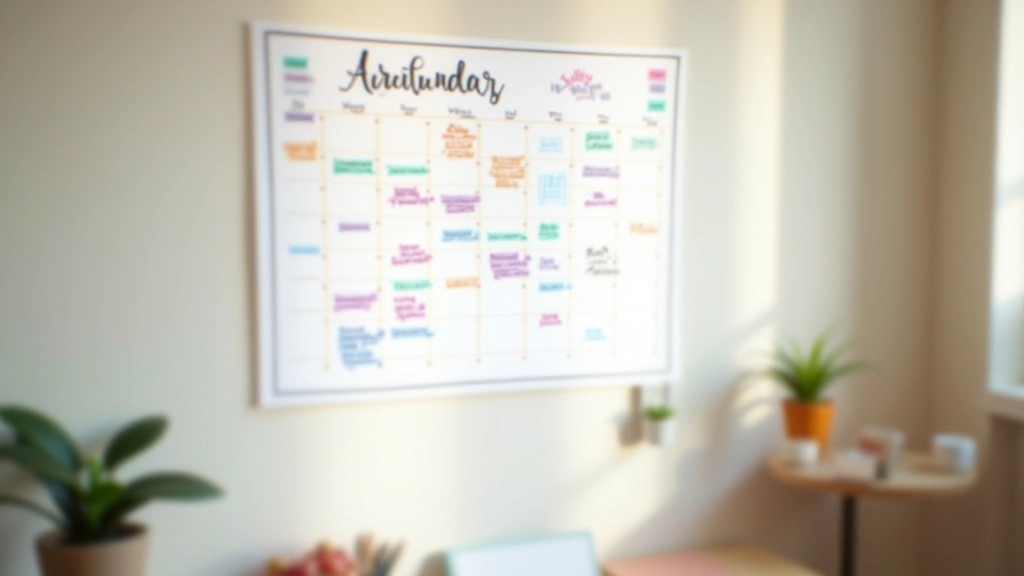
Don't rely on memory. Use a shared calendar. Color-code it if you want (blue for Grandma, green for your friend Sarah, orange for the paid sitter). Put in regular backup dates. Not just emergency backup — scheduled times where your backup person has the kids anyway.
This serves two purposes. Your kids get comfortable with multiple caregivers. And when an actual emergency happens, that person's already part of the routine. It doesn't feel random.
Some families do monthly — one person takes the first Saturday, another takes the second. Some do weekly rotation. Find what fits. The point is regularity, not perfection.
Real talk: You'll feel guilty asking people to help. That's normal. But people who actually care about your family usually want to help. They're often relieved you asked.
How to Actually Keep People in the Loop
Communication systems fail when they're too complicated. Keep it simple.
Text Thread or Group Chat
Create a group text with all backup caregivers. Not for daily stuff — for schedule changes and quick updates. "Sarah's sick today so moving to Thursday" type messages. Keep it low-noise.
Monthly Check-In
Every month or every other month, send one message to your backup people. "Thanks for being part of our network. Upcoming schedule changes: [list them]. Any questions?" Keeps it fresh. Shows you value them.
Update the Doc Immediately
When something changes — new allergy, medication update, school hours shift — update the shared document same day. Then message the group: "Updated the doc with new info." Two minutes of effort prevents confusion.
Annual Refresh
Once a year, schedule a quick coffee or video call with each person in your network. Not a big deal — 20 minutes. Ask how it's going. Get feedback. Show appreciation. People stay committed when they feel valued.
"I realized I had all these people willing to help, but I'd never actually asked. Once I did and set up a real system, the stress just... disappeared. Knowing my kids are safe with someone I trust? That's everything."
— Michelle, parent of two
Common Mistakes People Make
Building a real network means avoiding these pitfalls that sink most systems:
Waiting Until You're Desperate
Don't build your network on a Tuesday afternoon when you need someone Thursday. Start when things are calm. Give people time to think about it and say yes.
Assuming People Know Your Kids
Your best friend might not know that your 6-year-old gets anxious at bedtime or that your 4-year-old won't eat carrots no matter what. Write it down. Assume nothing.
Only One Backup Person
Life happens. Someone moves. Schedules change. You need at least two solid backups. Three is better. Spread the responsibility.
Never Actually Using Your System
A backup plan that's never tested falls apart at 3 PM on a Wednesday when you actually need it. Use your system regularly so it's second nature.

You're Not Meant to Do This Alone
Parenting takes a village. You've probably heard that. It's not just a saying — it's practical. The families who handle emergencies smoothly aren't the ones with perfect lives. They're the ones who've built real systems with real people who actually know what to do.
Your backup network isn't a sign of failure. It's evidence that you're organized, you value your kids' safety, and you're willing to ask for help. That's strength.
Start this week. Pick three people. Have one conversation. Create one document. Schedule one backup day. You don't need everything perfect. You need something real that works.
Ready to Build Your System?
Start with our family coordination guide to organize all your household systems in one place.
Explore Family Coordination ResourcesAbout This Article
This article provides educational information and general guidance about organizing a childcare backup network. Every family's situation is unique. Circumstances, available resources, and legal requirements vary by location and family situation. This information isn't a substitute for professional advice. When dealing with specific childcare arrangements, background checks, liability, or legal questions, consult with appropriate professionals in your area. Your pediatrician, local family services, or a family lawyer can provide guidance specific to your situation.
Related Articles